
Avesia
Private eye-care tracking for iPhone
Keep your eye drops and vision on track between appointments.
Avesia reminds you when to take each drop, keeps your pressure and vision readings in one place, and turns it all into a clear report you can hand to your ophthalmologist. Built for anyone managing a long-term eye condition.

On the App Store for iPhone. Free, with no ads and no subscription.
Avesia is currently iPhone-only. Android is not supported at this time. Email “Android”.
Everything you track between appointments, in one place
Avesia is built for people managing a long-term eye condition like glaucoma, macular degeneration, diabetic eye disease, uveitis, cataract, dry eye or allergies.
Reminders you can act on
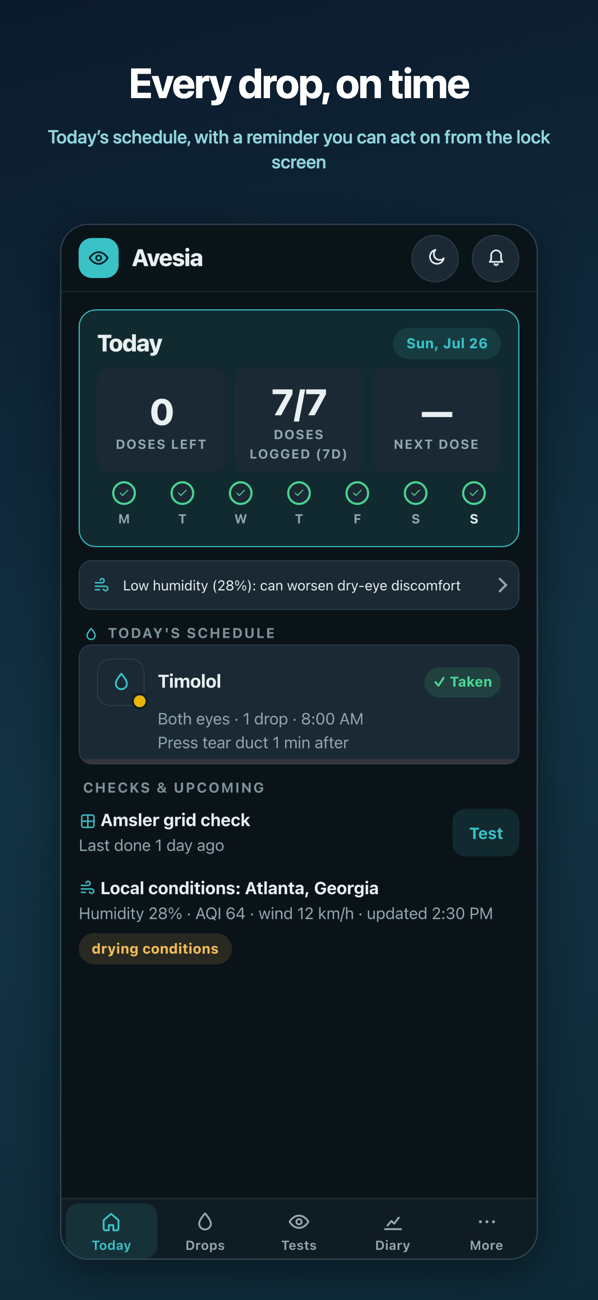
Add your drops and supplements once. Avesia reminds you when each dose is due, keeps working when the app is closed, and lets you tap Take or Snooze right from the notification.
Never run out unexpectedly
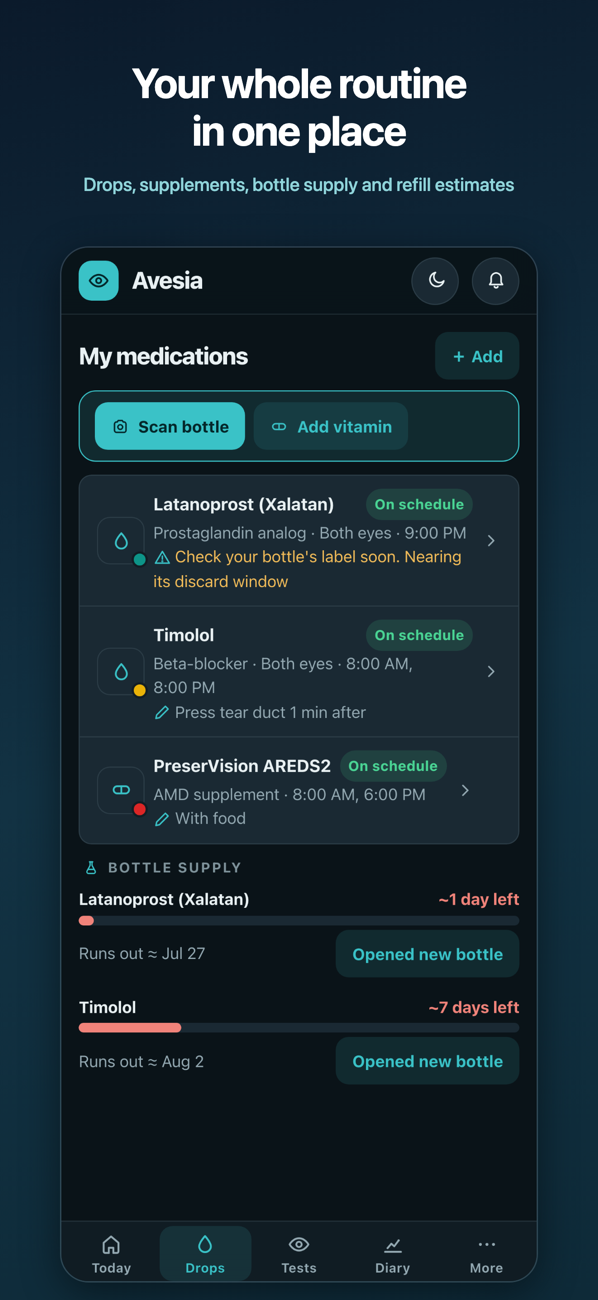
Avesia keeps track of how much is left in each bottle and warns you before a refill is due, so you are not caught short between visits.
Walk in prepared
Before every appointment, Avesia turns your history into a clear summary of medications, pressure readings, symptoms and notes, ready to print or share with your ophthalmologist.
Notice changes early
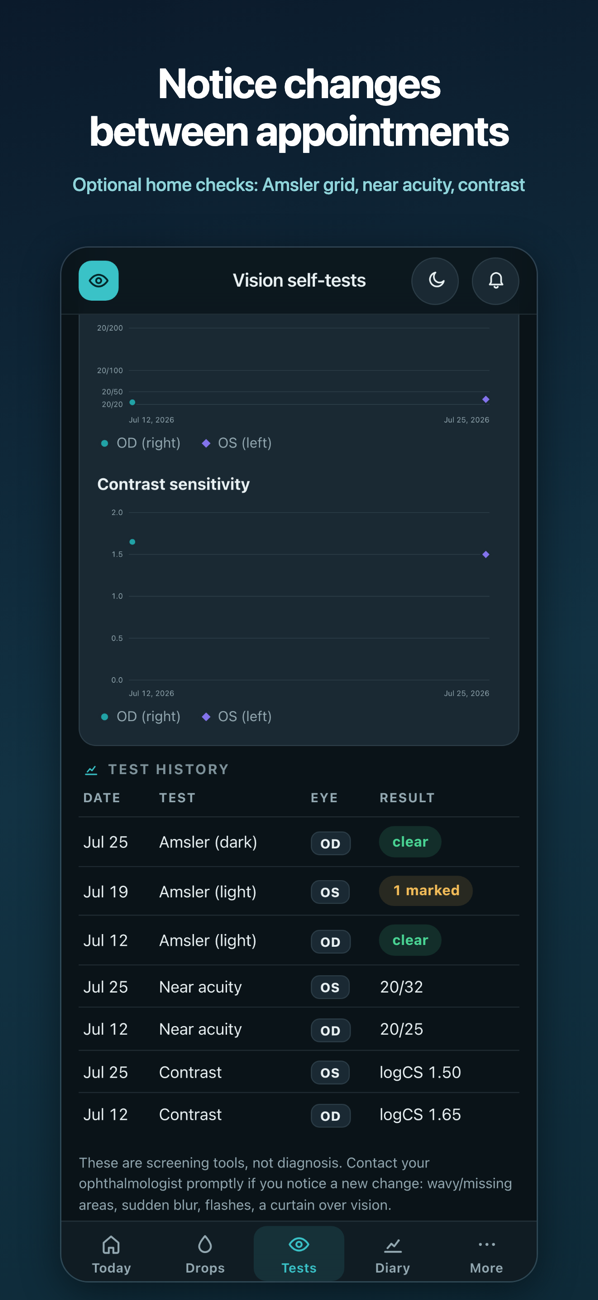
Optional at-home checks help you keep an eye on your central vision and reading sharpness over time, so a change is easy to spot and mention to your doctor.
See it in action
Real screens from the iPhone app, showing example data.
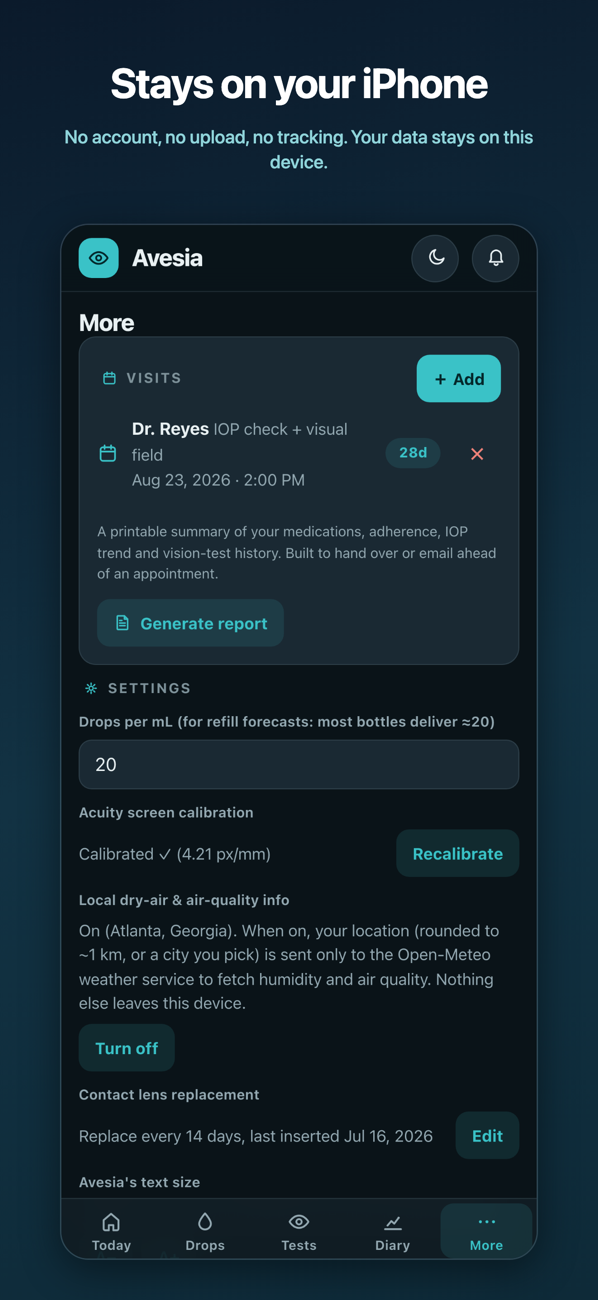
Your health data stays on your iPhone
Privacy is not an add-on. It is how Avesia is built.
Nothing leaves your iPhone
There is no account and no sign-in. Your medications, readings and notes stay on your device. Apple lists Avesia as collecting no data from the app.
Works without a connection
Once it is set up, Avesia works offline. Reminders keep firing and your full history stays available even with no signal.
You stay in control
The one optional network feature is local dry-air and air-quality info. If you turn it on, only a rounded location is sent to a weather service. You can turn it off at any time.
For families and caregivers
Setting it up for someone else
Avesia runs on one phone, and there's no account and no syncing — so it can't report back to you. That's deliberate, and it's why there's nothing to sign up for. What it can do is take the remembering off both of you.
Add their routine once
Scan their bottles or add each drop by hand, then set the schedule, including any tapering steps, once on their phone.
Mark doses without unlocking
They can mark a dose from the notification without unlocking it.
Get a refill warning
A refill warning arrives before the bottle runs out.
Bring a clear history
The printed report lays out what the last few months looked like, so you can go through it together even if you weren't the one at the appointment.
For clinicians
Technical details
The precise methods behind each tool. Every one runs entirely on the device, with no account and no upload.
Bottle label capture
Photograph a bottle and Avesia reads the label with on-device OCR, matching against a built-in database of common ophthalmic drops (glaucoma, steroids, NSAIDs, dry eye) to prefill drug class, cap color and schedule.
Home vision self-tests
Three calibrated, per-eye screening tests to run between appointments.
Amsler grid
Per-eye distortion mapping with history comparison that flags a new marked area.
Near acuity
Tumbling-E at 40 cm, calibrated with a physical credit card for screen sizing, scored 20/x.
Contrast sensitivity
Pelli-Robson-style fading letters with logCS scoring per eye.
Condition-aware diary
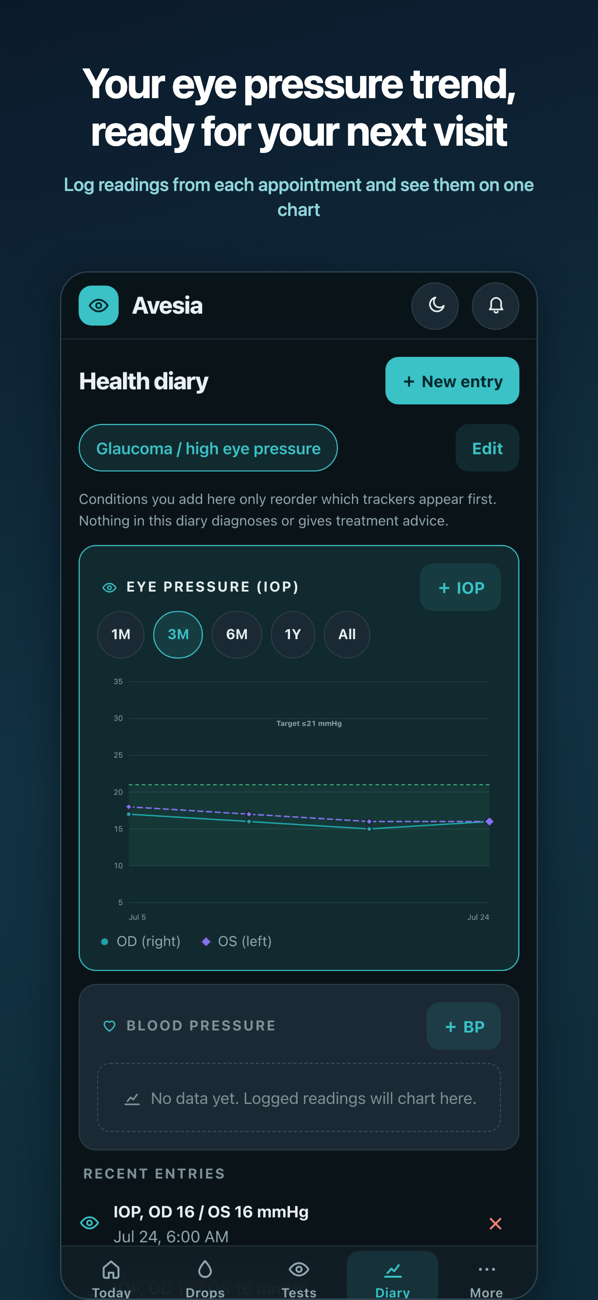
Charts intraocular pressure (IOP) for each eye on a fixed scale, alongside blood pressure, pulse, blood sugar and a dryness score. Choosing the conditions you manage reorders the diary so the most relevant trackers appear first. Nothing here diagnoses or gives treatment advice.
Between-visit safety prompts
A symptom checklist highlights signs worth acting on and reminds you to contact your ophthalmologist promptly for a new change such as flashes, a curtain over vision or sudden blur. These are screening aids, not a diagnosis.
Adherence and taper logic
Correct spacing between drops scheduled close together with a Lock Screen countdown, post-operative tapering schedules, and adherence figures that state the period they cover and stay hidden until there is enough history to be meaningful.
Supplements and environment
AREDS2, omega-3 and lutein presets with meal-timing notes, plus optional local humidity and air-quality context for dry-eye days using a coarse, rounded location.
For the clinic
A short handout for patients
Print a one-page introduction for someone who may benefit from keeping eye-care records between visits.
Questions
Good to know
How far apart should I take two different eye drops?
About five minutes. A second drop applied immediately after the first can wash it out before it's absorbed. Follow your prescription label and your ophthalmologist's instructions.
How long is an eye drop bottle good for after opening?
Many preserved eye drops are meant to be discarded about 28 days after opening, regardless of the printed expiry date, because that date applies to the sealed bottle. Preservative-free single-use vials are different. Check your label and ask your pharmacist or ophthalmologist.
Does Avesia work on Android?
Avesia is currently available for iPhone on the App Store. Android is not supported at this time.
Does Avesia need an account?
No. There is no account to create, and Avesia does not sync records across devices.
Where are my records stored?
Your records stay on the iPhone where you enter them. The App Store listing says Avesia does not collect data.
Can Avesia diagnose an eye condition?
No. Avesia is a tracking and screening aid, not a diagnostic instrument. It does not replace your ophthalmologist or give treatment advice.
Can I share my records with my ophthalmologist?
You can generate a report from the app to bring to an appointment. Avesia does not provide a remote clinician dashboard or automatically share records.

Press
Media kit
About Avesia
Avesia is a free iPhone app for people managing a long-term eye condition. It reminds you when to take each eye drop, keeps pressure and vision readings in one place, and turns everything into a clear report for an ophthalmologist. There is no account to create, and records stay on the device.
Fast facts
- iPhone app
- Free to download
- No ads or subscription
- Built and supported by one person
- No data collected according to the App Store listing
- Records stay on the device
From the developer
Avesia was built by a pre-med student starting medical school, for people managing chronic eye conditions. It is free, has no ads and no subscription, and nothing you enter leaves your device.


